
Table of contents+
Introduction
Understand CloudStack high availability before enabling it
Apache CloudStack has two related but different HA concepts. HA-enabled instances are monitored so CloudStack can restart them after a confirmed failure, while Host HA monitors KVM compute hosts and uses out-of-band power management to recover or fence a failed host.
Instance HA
Restart the workload
When CloudStack determines that an HA-enabled instance has failed, it can attempt to restart that instance on another suitable host in the same cluster.
Host HA
Recover or fence the host
The KVM Host HA framework performs health and activity checks, attempts recovery through OOBM, and can fence a host when recovery fails.
Before you begin
- • Use at least two KVM hosts in the same CloudStack cluster.
- • Both hosts should use the same network layout and be able to access the same shared primary storage.
- • This guide continues with the shared NFS primary storage configured earlier in the series.
- • Each physical host needs working out-of-band management such as IPMI, iDRAC, or iLO.
- • The Management Server must be able to reach the BMC/IPMI management address of every HA-enabled host.
- • Test power-management commands before relying on Host HA for real workloads.
HA is not a replacement for backup or application-level redundancy
Host HA and instance restart automation can reduce recovery time after infrastructure failures, but they do not protect you from filesystem corruption, accidental deletion, application errors, or complete storage failure.
IPMI settings
Configure the server's out-of-band management interface
Start on the physical server's management controller. On Dell hardware this is normally iDRAC; other vendors may provide iLO, IPMI, or another BMC interface. Enable IPMI-over-LAN or the equivalent remote power-management feature and assign the management controller a stable IP address.
| Setting | Example | Notes |
|---|---|---|
| BMC / iDRAC IP | 192.168.10.11 | Use a dedicated management address, not the KVM host OS address. |
| Protocol | IPMI 2.0 | CloudStack's IPMITOOL driver normally uses the lanplus interface. |
| Port | 623 / UDP | Default IPMI RMCP port. |
| Account | Dedicated CloudStack BMC user | Use only the permissions needed for power-state operations. |
If you are using Dell iDRAC, the exact menu varies by generation, but the setting is typically under iDRAC Settings → Connectivity → Network → IPMI Settings.
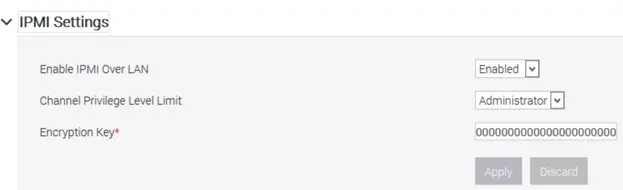
Host HA provider
Configure Host HA for the KVM cluster
Open Infrastructure, select your KVM cluster, and open its HA configuration. Choose the KVM Host HA provider for the cluster. The provider performs host health checks and uses neighboring KVM hosts to help determine whether workload disks are still active before CloudStack attempts recovery or fencing.
Why the cluster needs another KVM host
The KVM HA provider relies on another healthy host in the cluster for parts of its investigation process. A single-host cluster cannot provide meaningful host failover for running workloads.
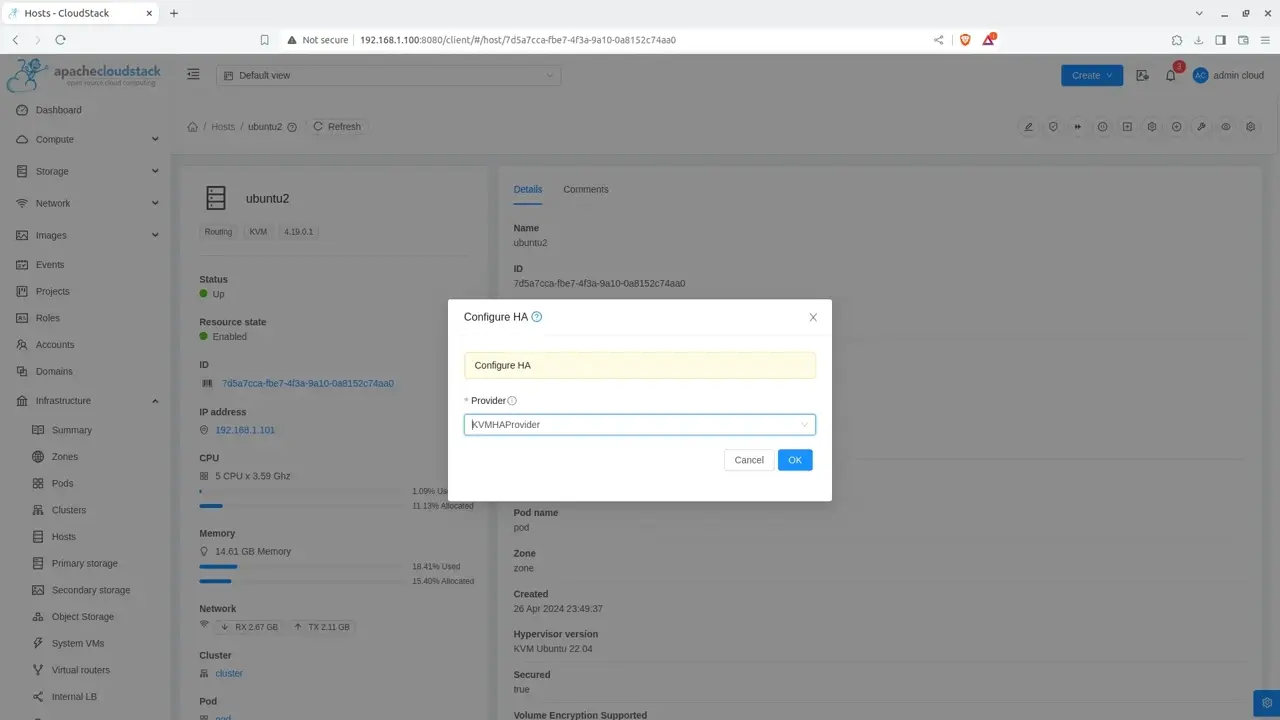
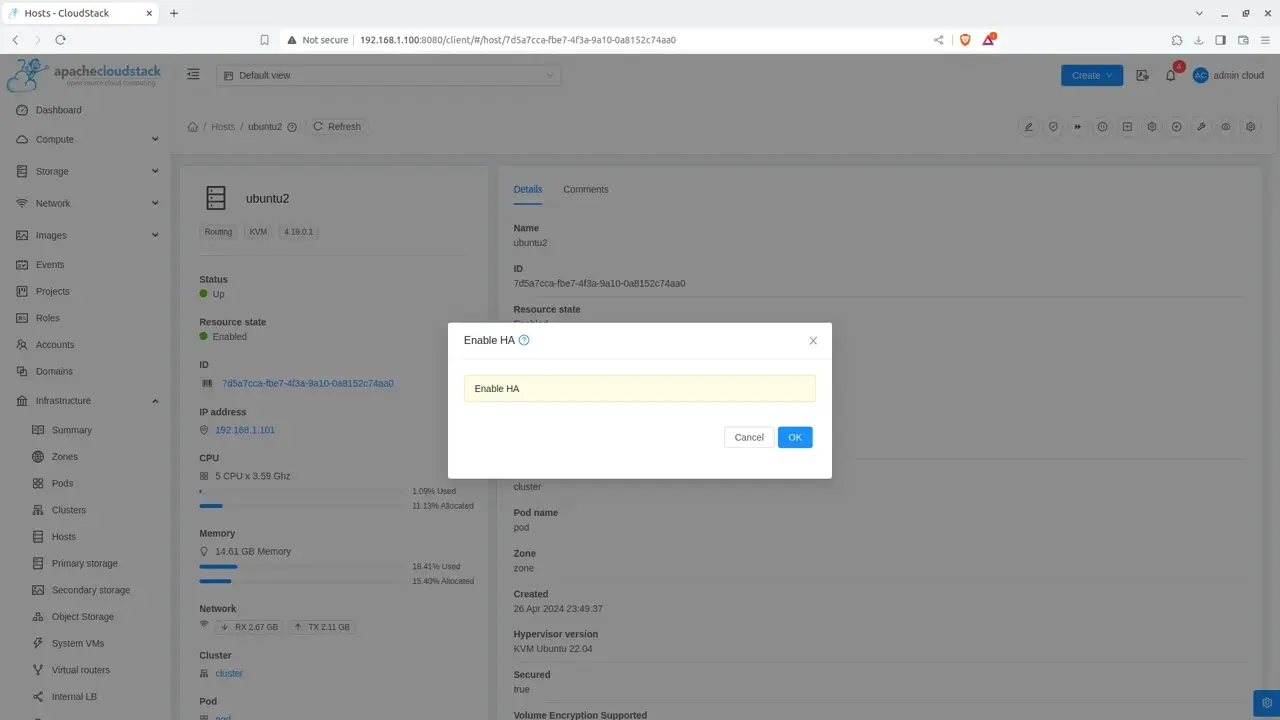
Enable Host HA
Enable HA for the cluster and participating hosts
After selecting the provider, enable Host HA at the cluster level and make sure the intended hosts are included. Host HA is opt-in: a provider must be configured and HA must be enabled before CloudStack manages the hosts through the HA state machine.
Available
Healthy
The host is HA-enabled and currently eligible for HA management.
Ineligible
Check requirements
OOBM, neighboring hosts, host state, or other eligibility requirements may not be satisfied.
Disabled
Not managed
Host HA has not been enabled for this host or its containing partition.
Out-of-band management
Configure OOBM for each KVM host
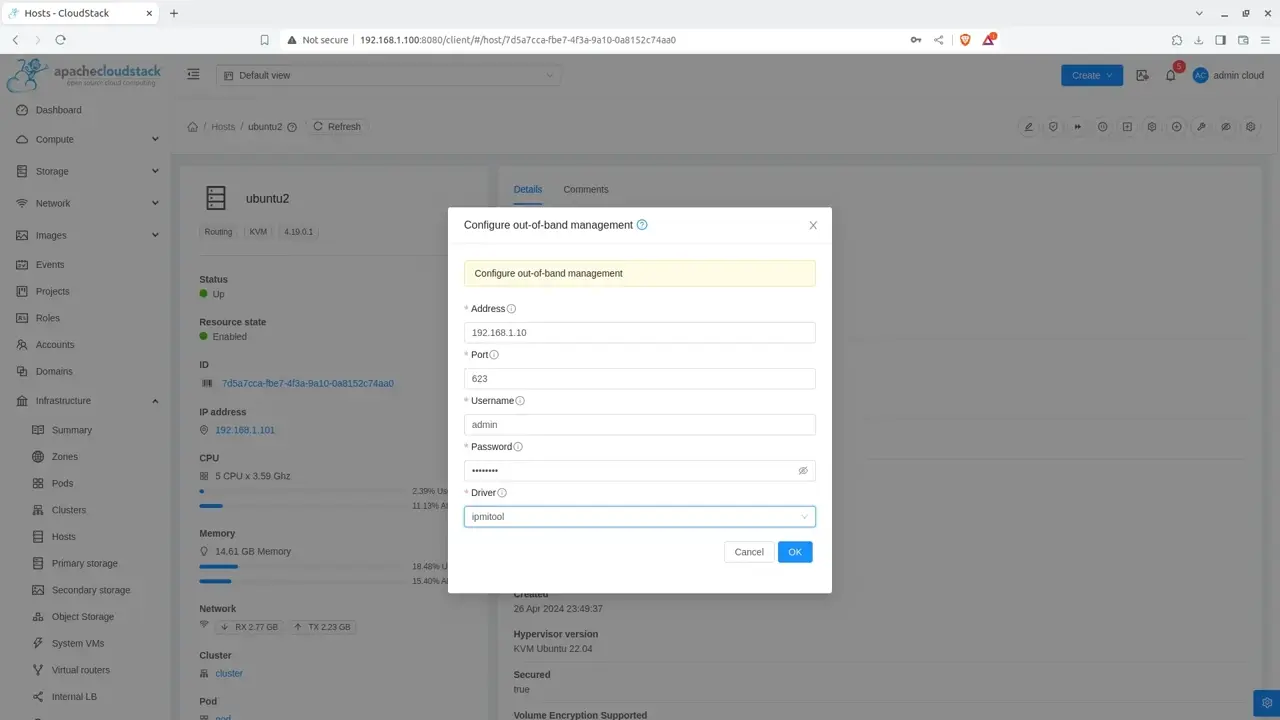
Open the details page for the first KVM host and configure Out-of-band Management. For an IPMI 2.0 BMC, use CloudStack's IPMITOOL driver and enter the BMC address, port, username, and password. Repeat this configuration for every host that will participate in Host HA.
| Field | Example | Purpose |
|---|---|---|
| Driver | IPMITOOL | Uses the Management Server's ipmitool binary. |
| Address | 192.168.10.11 | BMC/iDRAC address, not the host OS IP. |
| Port | 623 | Default IPMI port. |
| Username | cloudstack | BMC account permitted to query and change server power state. |
Do not enter the KVM host's normal management IP
The OOBM address must point to the hardware management controller. CloudStack needs this separate control path so it can power-cycle or fence a host even when the host operating system is unreachable.
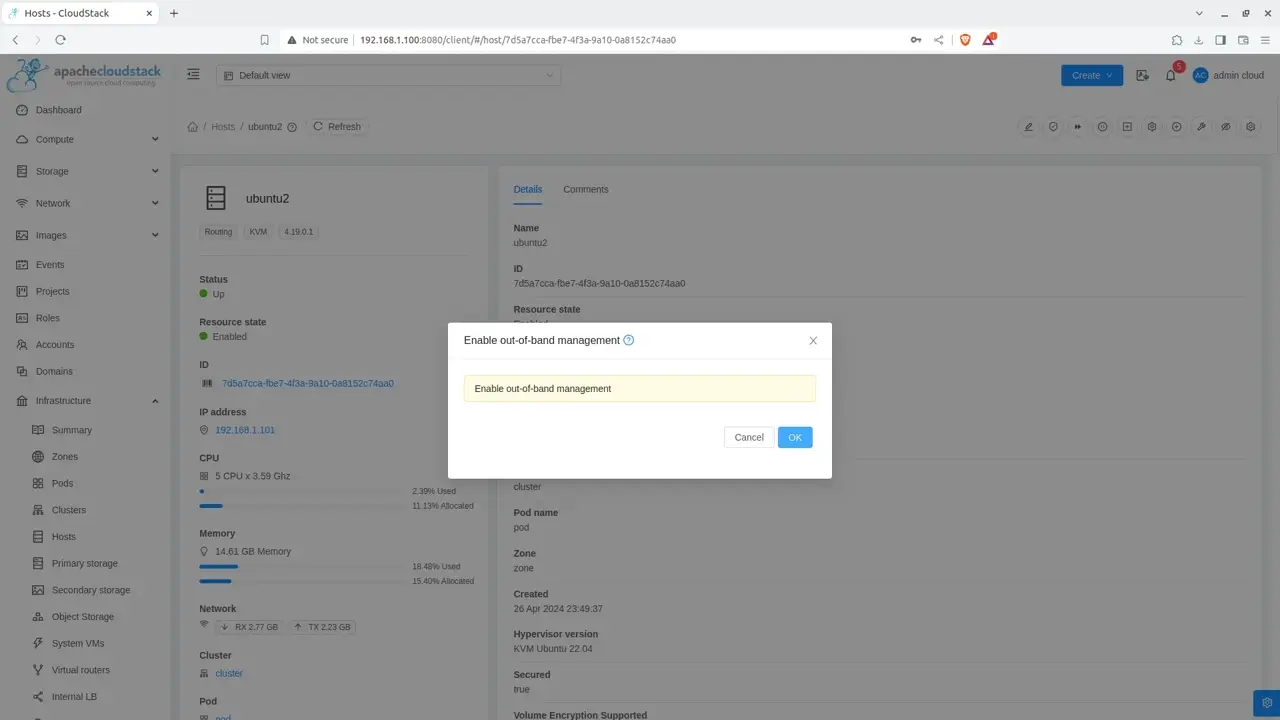
Enable OOBM
Enable and verify out-of-band power management
After saving the OOBM configuration, enable it for the host. CloudStack must be able to read the server's power state before Host HA can reliably recover or fence that host. Repeat the process for the second KVM host and any additional participating hosts.
If you want to test IPMI independently of CloudStack, run the command from the Management Server. Install ipmitool first if it is not already installed.
sudo apt update
sudo apt install -y ipmitool

sudo ipmitool -I lanplus \
  -H 192.168.10.11 \
  -U cloudstack \
  -a chassis power status
The -a option prompts for the BMC password instead of placing it directly in your shell command. Replace the example BMC address and username with the values from your environment.
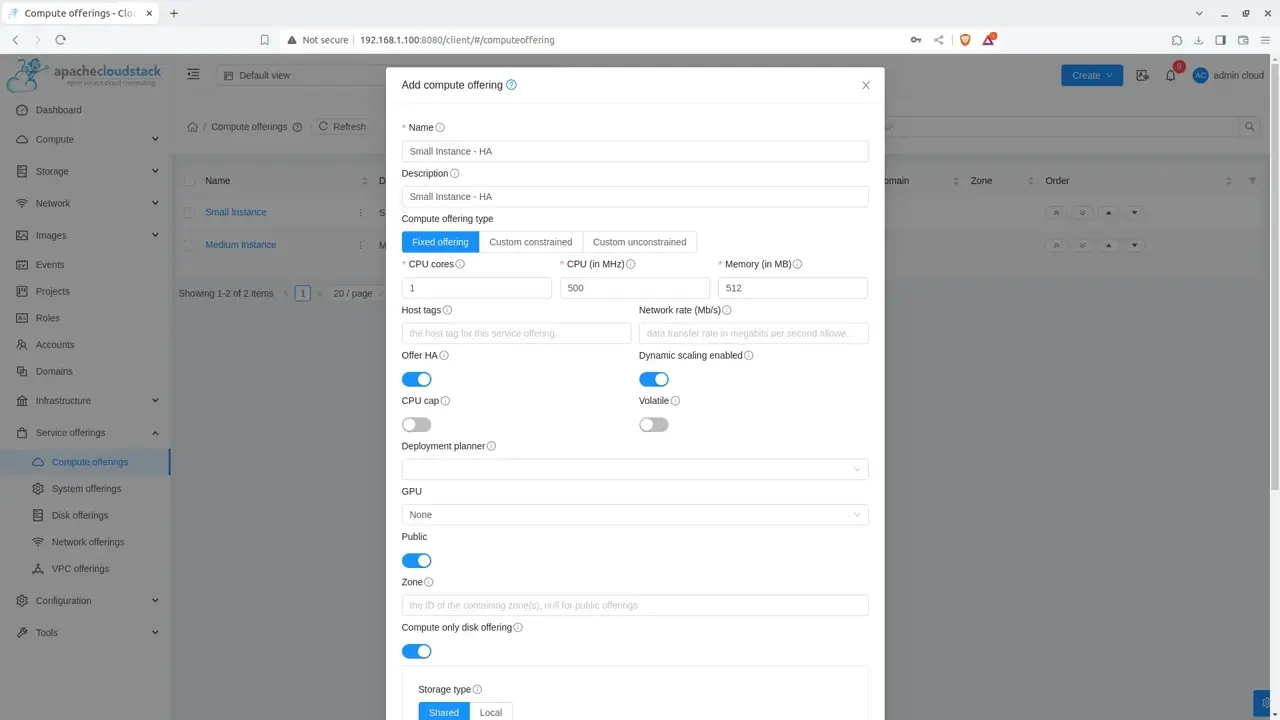
Compute offering
Create a compute offering for HA workloads
Open Service Offerings → Compute Offerings and create a new offering for the workloads that should use CloudStack instance HA. Choose the CPU, memory, CPU speed, and other resource limits that make sense for your lab or application.
| Field | Example |
|---|---|
| Name | HA Small |
| CPU cores | 2 |
| CPU speed | 2000 MHz |
| Memory | 2048 MB |
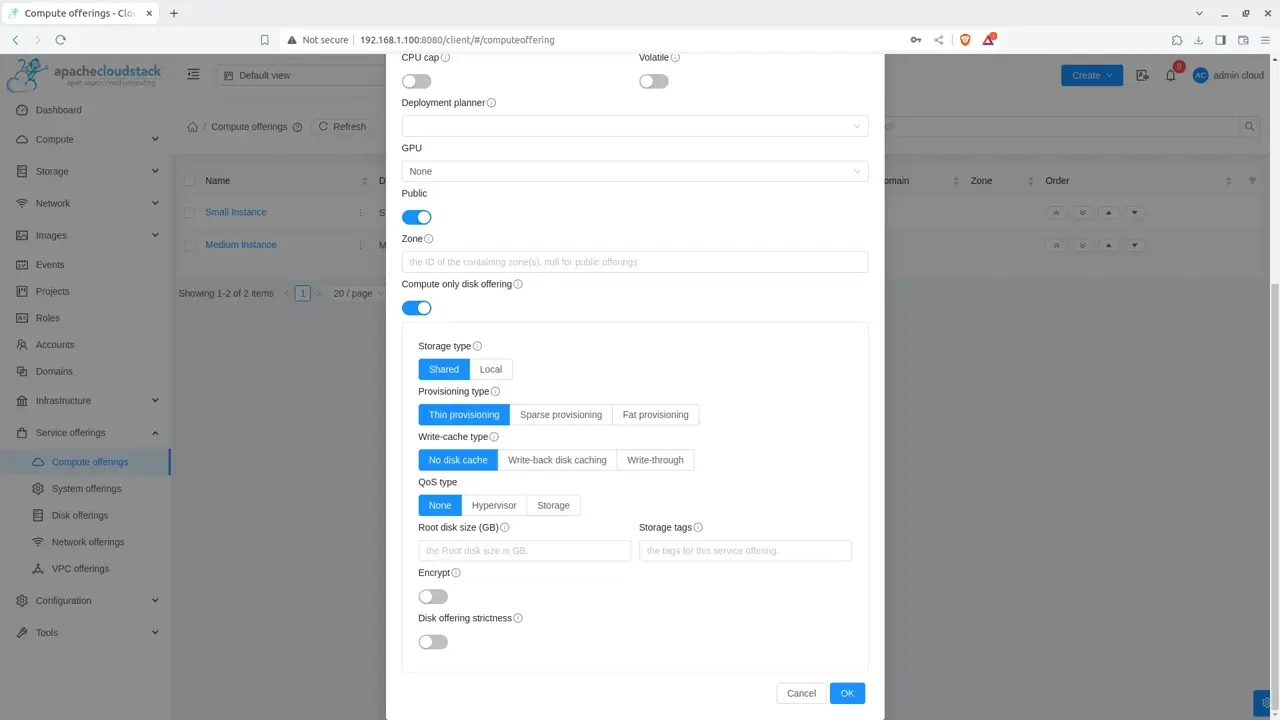
HA offering
Enable high availability on the compute offering
In the compute-offering form, enable the High Availability option before saving. Instances deployed with this offering will be marked for CloudStack instance HA.
HA-enabled instance shutdown behavior
CloudStack cannot reliably distinguish an unexpected guest shutdown from a shutdown initiated inside the guest operating system. If you want an HA-enabled instance to remain stopped, stop it through the CloudStack UI or API rather than running the guest's own shutdown command.
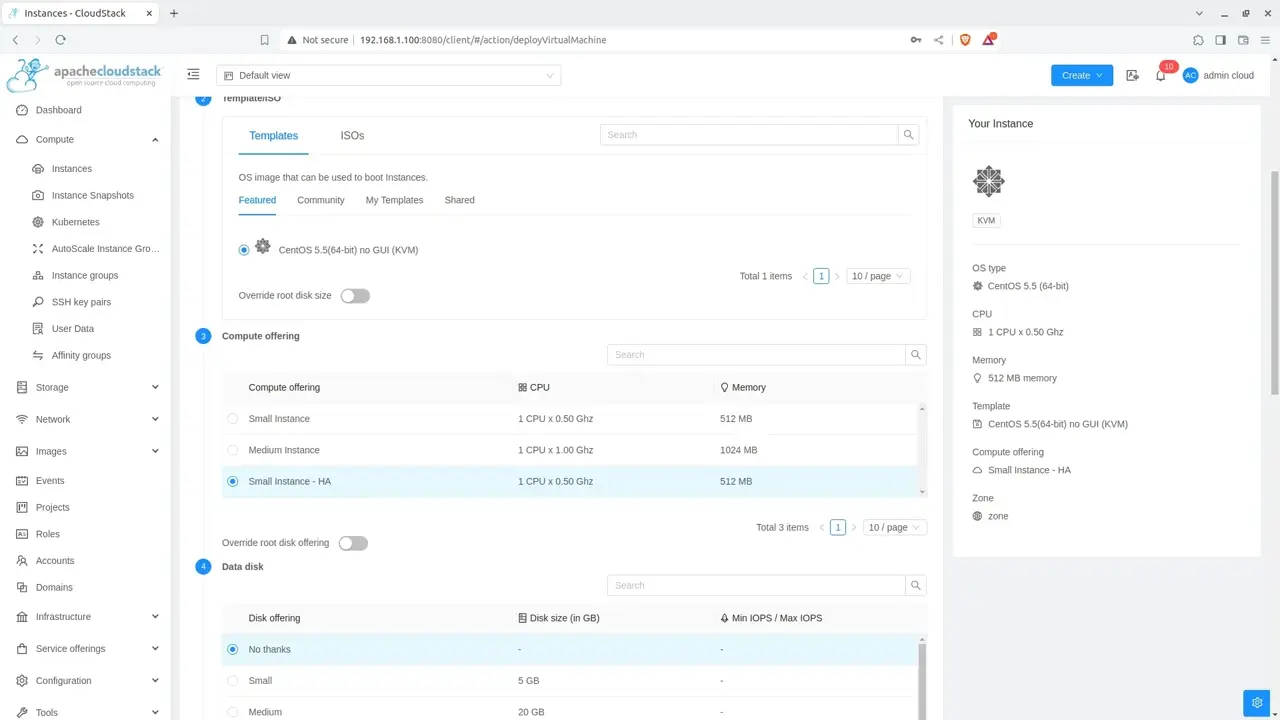
HA-enabled instance
Deploy an instance with the HA compute offering
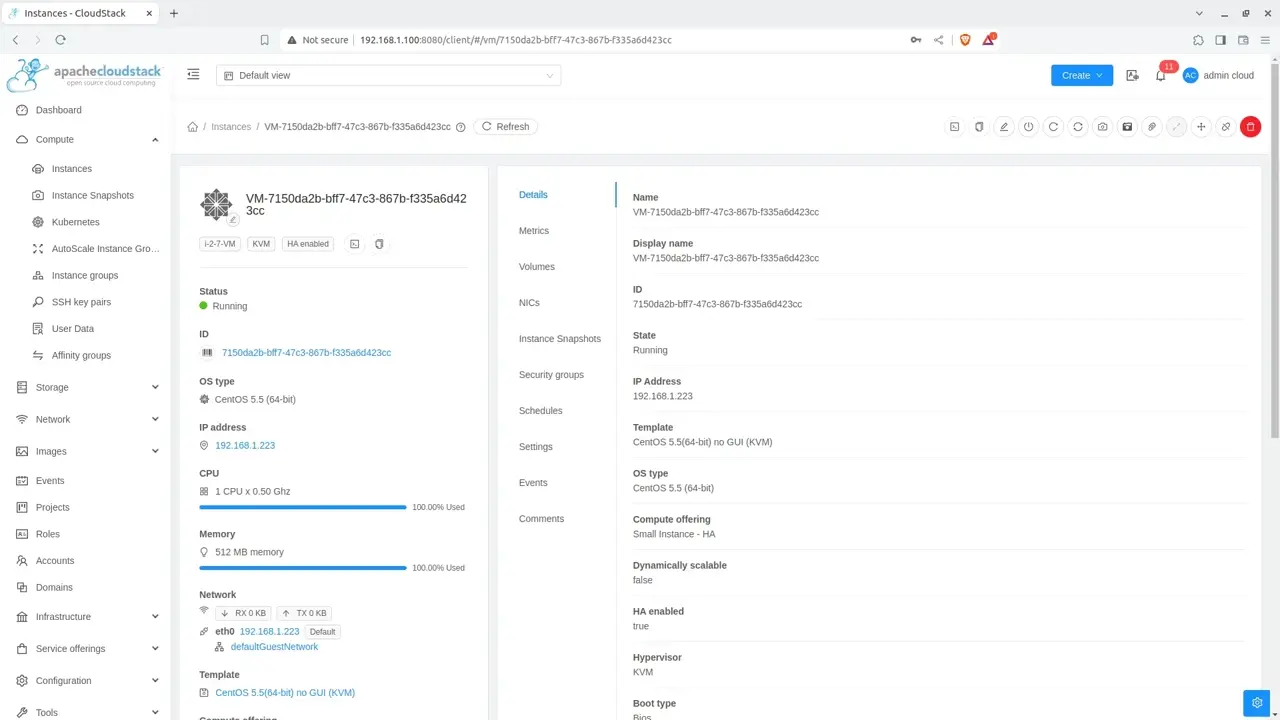
Create a new instance using the template prepared in Guide 05. During the compute-offering step, select the HA-enabled offering you just created. Finish the normal deployment workflow and wait for the instance to reach the Running state.
Offering
HA Small
The service offering has High Availability enabled.
Primary storage
Shared NFS
The instance disks remain accessible to another suitable host after failover.
Failover test
Test the HA workflow and verify recovery
Confirm which KVM host is currently running the HA-enabled instance. Before testing anything, verify that the second host is Up, has spare CPU and memory capacity, can access the same NFS primary storage, and has working OOBM.
Perform failure testing only in a controlled lab
Do not abruptly power off a production hypervisor just to verify HA. Use disposable test workloads and a maintenance window, and make sure you can recover the physical host manually if the fencing or power-management configuration is wrong.
In a lab, simulate an unexpected host failure from outside CloudStack—for example by powering off the compute server through its BMC. Then monitor the host HA state, events, alerts, and the HA-enabled instance from the CloudStack UI.
| Check | What you should see |
|---|---|
| Host HA state | CloudStack investigates the failed host and progresses through the Host HA recovery/fencing workflow. |
| OOBM actions | Recovery/fencing operations can use the BMC to reset or power off the failed host when required. |
| Instance | After CloudStack confirms it is safe to do so, the HA-enabled instance can be restarted on another suitable host. |
| Original host | A host that cannot be recovered may be fenced and placed into maintenance, requiring administrator intervention. |
Do not expect recovery to happen at one fixed number of minutes. Host HA performs multiple checks before it decides that a host can be safely recovered or fenced, and the timing depends on the HA configuration and the failure scenario. CloudStack is intentionally conservative because it must avoid starting a second copy of an instance while the original host might still be writing to the same disks.
High availability configured
Your KVM cluster now has an HA recovery path.
You have configured Host HA, out-of-band power management, a shared-storage HA compute offering, and an HA-enabled instance. Continue monitoring host capacity and always leave enough resources on the remaining hosts to absorb workloads when one host fails.